


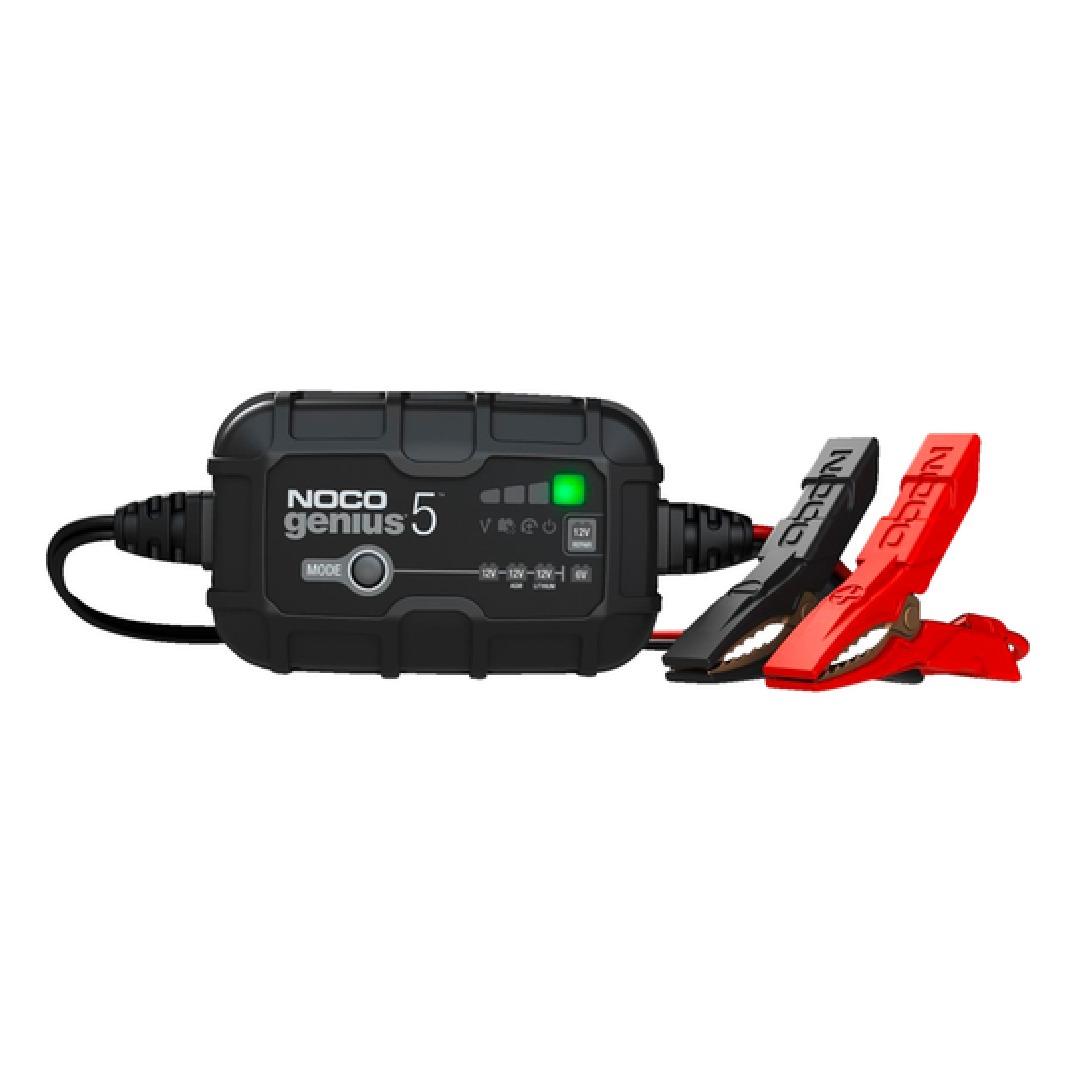
The NOCO Genius 5 Manual helps you get the best from one of the most trusted smart battery chargers on the market. Whether you are new to car battery care or just bought your first NOCO Genius 5 charger, this complete setup and safety guide will walk you through every step. From connecting the clips to choosing the right mode, everything is explained in simple words so you can start charging safely and quickly.
Many people buy the NOCO Genius 5 but feel unsure about how to use it. The NOCO Genius 5 Manual clears that confusion. You will learn the right NOCO Genius 5 setup instructions, how to read the blinking lights, how to fix charging errors, and even how to use the charger on motorcycles and other small batteries. We’ll also talk about safety tips, warranty info, and the most common troubleshooting fixes. By the end, you will understand how to charge any battery confidently and keep it healthy for a long time.
1. What Is the NOCO Genius 5 Charger and Why It’s Popular
The NOCO Genius 5 is a 5-amp smart charger and maintainer that works on 6-volt and 12-volt batteries. It’s designed for cars, boats, motorcycles, and even lawn equipment. Unlike old-style chargers, this one uses advanced sensors to control power flow and protect your battery.
Top Features
- Smart charging – detects battery type automatically.
- Thermal compensation – adjusts power safely in hot or cold weather.
- Desulfation mode – helps bring back weak or dead batteries.
- Maintenance mode – keeps your battery ready without overcharging.
- Water-resistant design – safe for garage or outdoor use.
Users love it because it’s small, fast, and very reliable. It’s often called the best smart charger for car battery care.
2. Unboxing and What’s Inside
When you buy a NOCO Genius 5 charger, the box includes:
- The main charger unit
- Clamps and eyelets for easy connection
- A clear user guide PDF link and warranty details
- Quick safety card
Always check you received all parts before setup.
3. NOCO Genius 5 Setup Instructions
Setting up the charger is simple, but it’s important to follow steps correctly.
Step 1: Identify Battery Type
Check if your battery is 6 V or 12 V and whether it’s lead-acid, AGM, or lithium. The smart battery charger setup detects this automatically but knowing it helps confirm correct mode.
Step 2: Connect the Clamps
- Red clamp → Positive (+)
- Black clamp → Negative (–)
If using a hard-to-reach battery, attach the included eyelets instead.
Step 3: Plug In the Charger
Once connected to the battery, plug the charger into a power outlet. The mode button functions will light up showing charging status.
Step 4: Choose Mode
Press the mode button to select your battery type or special mode like 12 V AGM, 12 V Lithium, or Repair mode (desulfation).
Step 5: Charging
The LEDs will start showing progress. Each bar represents charge level. The NOCO Genius 5 charging speed is efficient and safe, usually faster than older 2-amp models.
4. Understanding the Charging Modes
Many users ask for noco genius 5 charging modes explained, so here’s an easy breakdown:
| Mode | Use For | Description |
|---|---|---|
| 6 V Norm | 6 V batteries | Standard mode for small 6-V batteries |
| 12 V Norm | 12 V lead-acid | For most car batteries |
| 12 V AGM | AGM & spiral cell batteries | Safer, lower-heat charge |
| 12 V Lithium | LiFePO₄ batteries | Smart balancing protection |
| Repair Mode | Weak or sulfated batteries | Restores battery health |
Switching between them is done through the mode button functions on the charger face.
5. How to Use NOCO Genius 5 Safely
Safety always comes first. Before charging, make sure the area is dry and well-ventilated.
Basic Safety Steps
- Don’t place the charger near heat or flames.
- Connect clamps properly before plugging in.
- Never touch the clips together when power is on.
- Use a single grounded outlet.
- Keep charger away from children and pets.
Following these steps avoids sparks or short circuits. The NOCO Genius 5 Manual also includes all warning icons—always read them once before your first charge.
6. What the Blinking Lights Mean
The noco genius 5 blinking lights meaning is key to knowing what your charger is doing.
| Light Pattern | Meaning |
|---|---|
| Single red blink | Standby / not charging |
| Pulsing orange | Charging in progress |
| Solid green | Fully charged / maintenance mode |
| Flashing red | Connection error or reverse polarity |
| Flashing orange and green | Repair mode running |
Understanding these lights helps in troubleshooting if your noco genius 5 not charging battery correctly.
7. Common Troubleshooting Tips
If the charger does not start:
- Recheck clamp connection.
- Confirm wall outlet has power.
- Try how to reset noco genius 5 by unplugging for 10 seconds, then reconnect.
- Inspect for damaged cables.
If still not working, consult the NOCO Genius 5 user guide PDF or visit the support site.
8. Charging Time and Speed
Wondering how long to charge with noco genius 5?
Charging time depends on battery size and condition:
| Battery Type | Estimated Time |
|---|---|
| Motorcycle battery (10–20 Ah) | 2–3 hours |
| Car battery (40–60 Ah) | 6–10 hours |
| Deep-cycle battery (80 Ah +) | 10–14 hours |
You can leave NOCO Genius 5 connected overnight safely because it switches automatically to maintenance mode when full.
9. Using the Charger on Different Vehicles
The NOCO Genius 5 works for more than just cars.
- Motorcycle battery – use 6 V or 12 V mode as needed.
- Boat battery – perfect for seasonal maintenance.
- Lawn mower or ATV – quick connect clamps make it easy.
- RV or camper – maintain multiple batteries year-round.
This versatility is why many say it’s worth the price.
10. Comparing NOCO Genius 5 vs Genius 2
| Feature | Genius 2 | Genius 5 |
|---|---|---|
| Amp Rating | 2 A | 5 A |
| Charging Speed | Medium | Fast |
| Repair Mode | Limited | Advanced |
| Price | Lower | Slightly Higher |
| Best For | Small batteries | Cars & boats |
If you need faster charging and more power, the NOCO Genius 5 wins easily.
11. Battery Maintenance Tips
Keep your battery healthy with these noco genius 5 maintenance tips:
- Keep terminals clean from corrosion.
- Use the charger once a month for top-up.
- Avoid draining battery completely.
- Store in a cool, dry place.
- Check cables before each use.
Regular care means fewer replacements and better performance.
12. Price and Where to Buy
The noco genius 5 price is usually between $80 and $100 USD. You can buy NOCO Genius 5 charger from:
- NOCO official website
- Amazon
- AutoZone
- Walmart
- Best Buy
Look for discounts during NOCO Genius 5 sale events or holiday offers.
13. Warranty and Support
The charger includes a 3-year limited warranty. For any issue, check the noco genius 5 warranty info section in the box or visit NOCO’s support page. Always keep your receipt for quick claim.
14. Can the NOCO Genius 5 Charge a Dead Battery?
Yes, it can. The desulfation mode helps recover batteries that have dropped below normal voltage. While not every dead battery can be saved, many users report success when the voltage is above 1 V.
15. Why the NOCO Genius 5 Is Worth It
If you want a charger that’s safe, automatic, and reliable, the NOCO Genius 5 Manual proves why it’s a smart choice. It’s small but powerful, perfect for daily drivers or seasonal vehicles. It’s also eco-friendly, using less power while keeping batteries strong for years.
FAQ's
Q 1. What does NOCO Genius 5 do?
It charges, repairs, and maintains 6 V and 12 V batteries safely with automatic AI control.
Q 2. Can I use it for a motorcycle battery?
Yes. Use 6 V or 12 V mode depending on battery type.
Q 3. How to reset NOCO Genius 5?
Unplug the charger, wait 10 seconds, and reconnect it to restart the system.
Q 4. What if my NOCO Genius 5 is not charging battery?
Check polarity, cables, and power source. If still not charging, try Repair mode or contact support.
Q 5. Can I leave the charger on overnight?
Yes. Once full, it switches to maintenance mode automatically.
Q 6. Is NOCO Genius 5 worth it for cars and bikes?
Definitely. It offers smart charging, fast performance, and long-term battery health.
Q 7. Where can I find the NOCO Genius 5 user guide PDF?
Available on the NOCO official website under support → manuals section.
Conclusion
The NOCO Genius 5 Manual makes battery charging simple for everyone. It combines smart AI technology, safe charging modes, and automatic maintenance in a tiny package. Whether you need to charge a car, motorcycle, or boat battery, this charger delivers fast and safe results every time.
If you’re searching for a charger that you can trust and forget, the NOCO Genius 5 is a perfect choice. At Onyx Guides, we help you understand how to use your home and garage devices the right way— because good guidance saves time, money, and stress.

 English
 Arabic
 French
 Spanish
 Portuguese
 Turkish
 Dutch
Dutch
 Italiano
 Russian
 Romaian
 Portuguese (Brazil)
 Greek
Greek